Axonal AI
We redesigned how pharma teams collaborate by creating a shared AI workspace that keeps complex projects aligned, contextual, and enterprise-ready.
Role:
UX Strategy, User Research, Product Design
Date:
Mar 2024
Feb 2026
Redesigning AI-Powered Pharma Marketing Workflows
Teams were using tools like ChatGPT and Perplexity separately, which caused version drift and constant rework. We redesigned Axonal’s workflow model so multiple contributors could work in one stable workspace with consistent history, structured updates, and no conflicting edits. This created a faster, more reliable foundation for AI-assisted collaboration.
+45%
Faster Workflow
Teams complete research and content tasks much faster.
+60%
User Satisfaction
Based on internal pilot feedback
+35%
Workspace Engagement
Teams collaborate inside shared spaces more frequently.
+50%
Output Reuse
Reports, summaries, and insights reused cross-team.
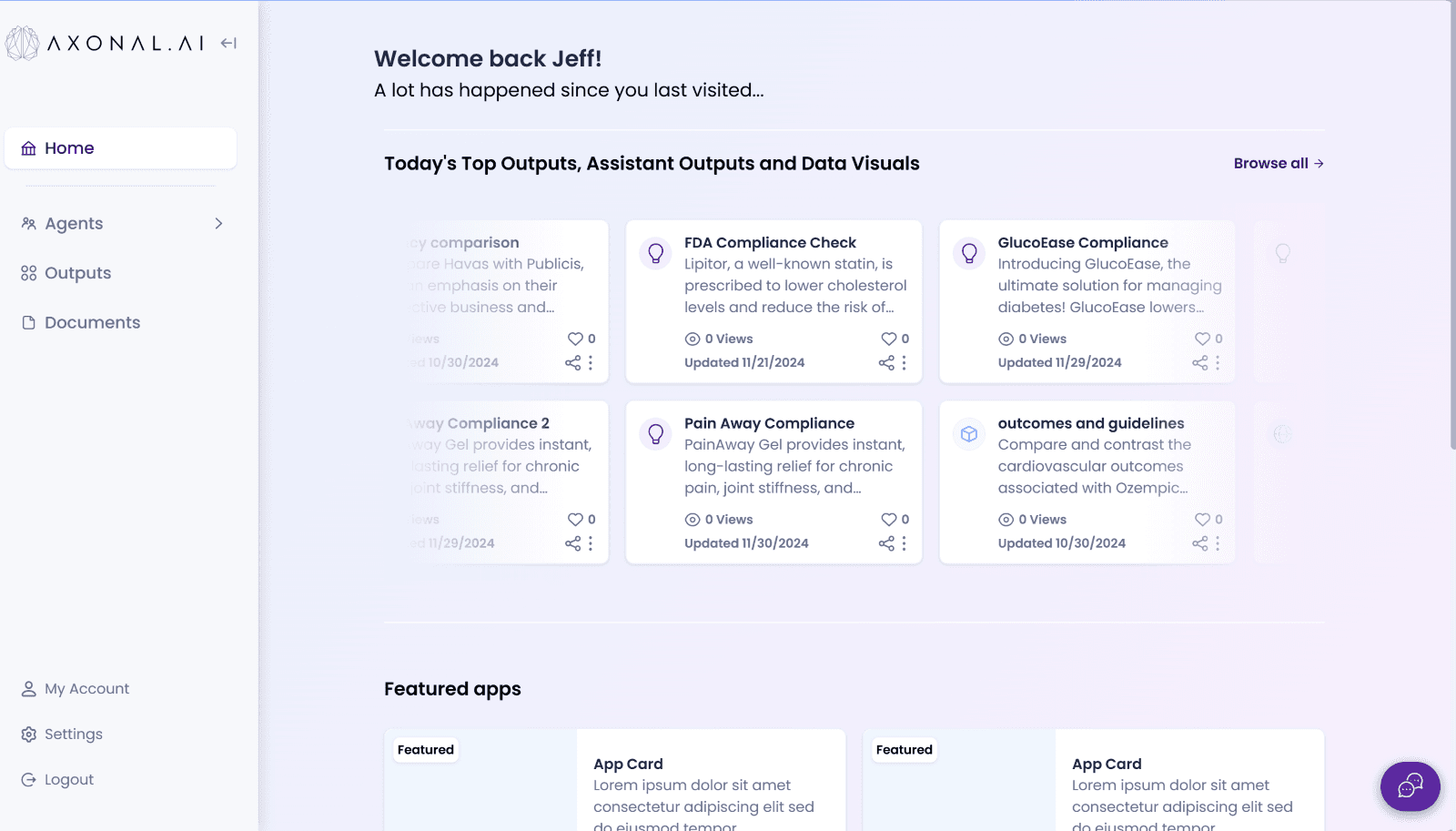
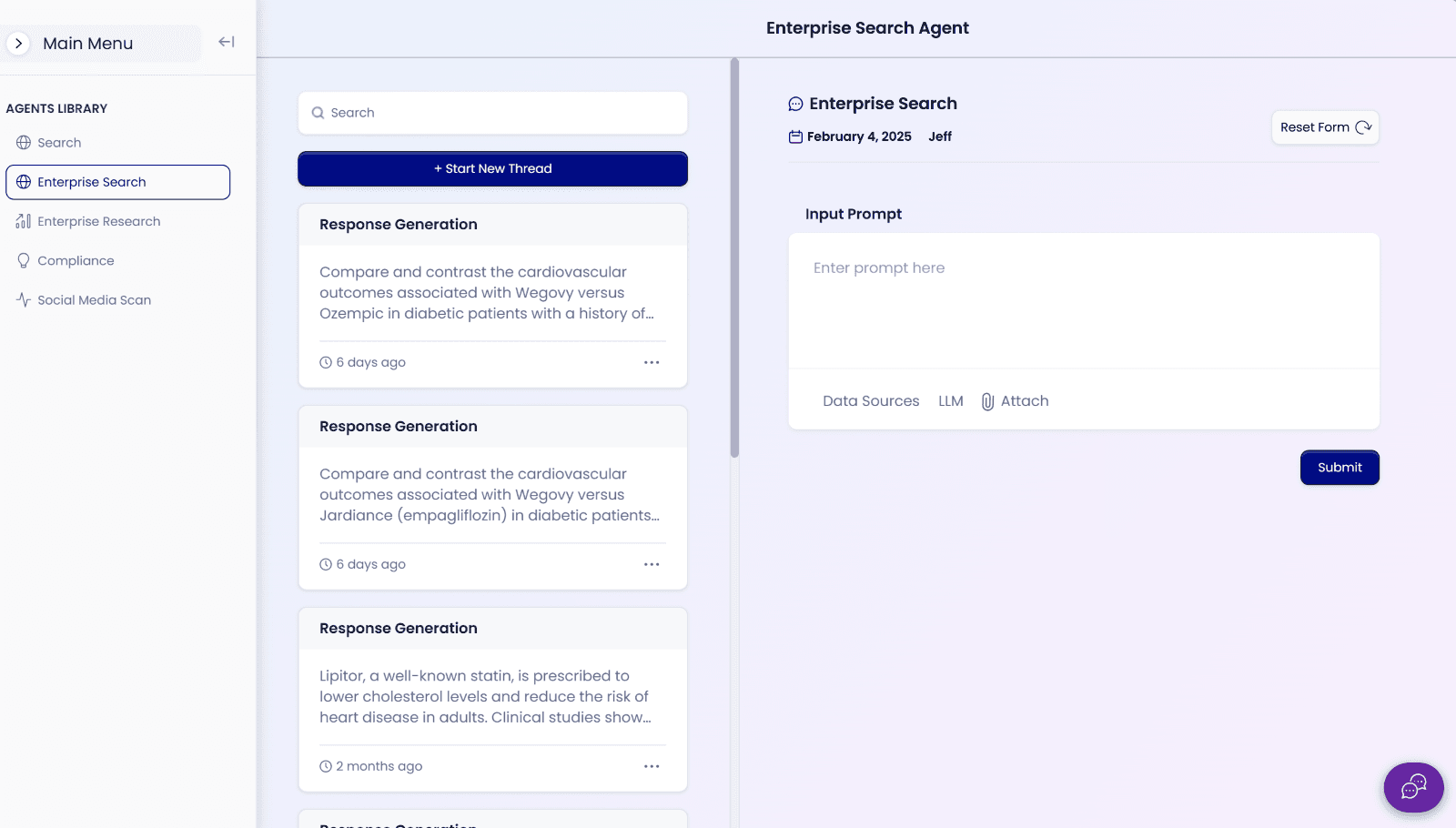
Home Screen
Collaborative Workspace Design
Axonal workspaces allow multiple team members to collaborate with LLM assistance the moment a workspace—such as a New Product Launch—is created. All outputs stay organized within shared context, edits remain traceable, sources stay linked, and teams can refine work together. The artifact—whether a report, content draft, or summary—updates live when a user requests changes, such as: “Add a competitive analysis chart at the end.”
+45%
+45%
Faster Workflow
Teams complete research and content tasks much faster.
+60%
+60%
User Satisfaction
Based on internal pilot feedback
+35%
+35%
Workspace Engagement
Teams collaborate inside shared spaces more frequently.
+50%
+50%
Output Reuse
Reports, summaries, and insights reused cross-team.
Collaborative Workspace Design
Axonal’s teams were working in scattered documents and losing alignment as soon as multiple people touched the same project. We redesigned the workspace experience so every team member works in one shared, reliable place. Our system keeps updates consistent, avoids duplicate versions, and maintains context even when people join at different stages.
Home Screen
Quick Insights Mode
We noticed teams often mix draft thinking with final work. To fix this, we designed a separate view for quick questions and checks — a safe space to explore ideas without affecting official content. This reduced errors and kept regulated work clean.
Task Output Screen
Previous Work Overview
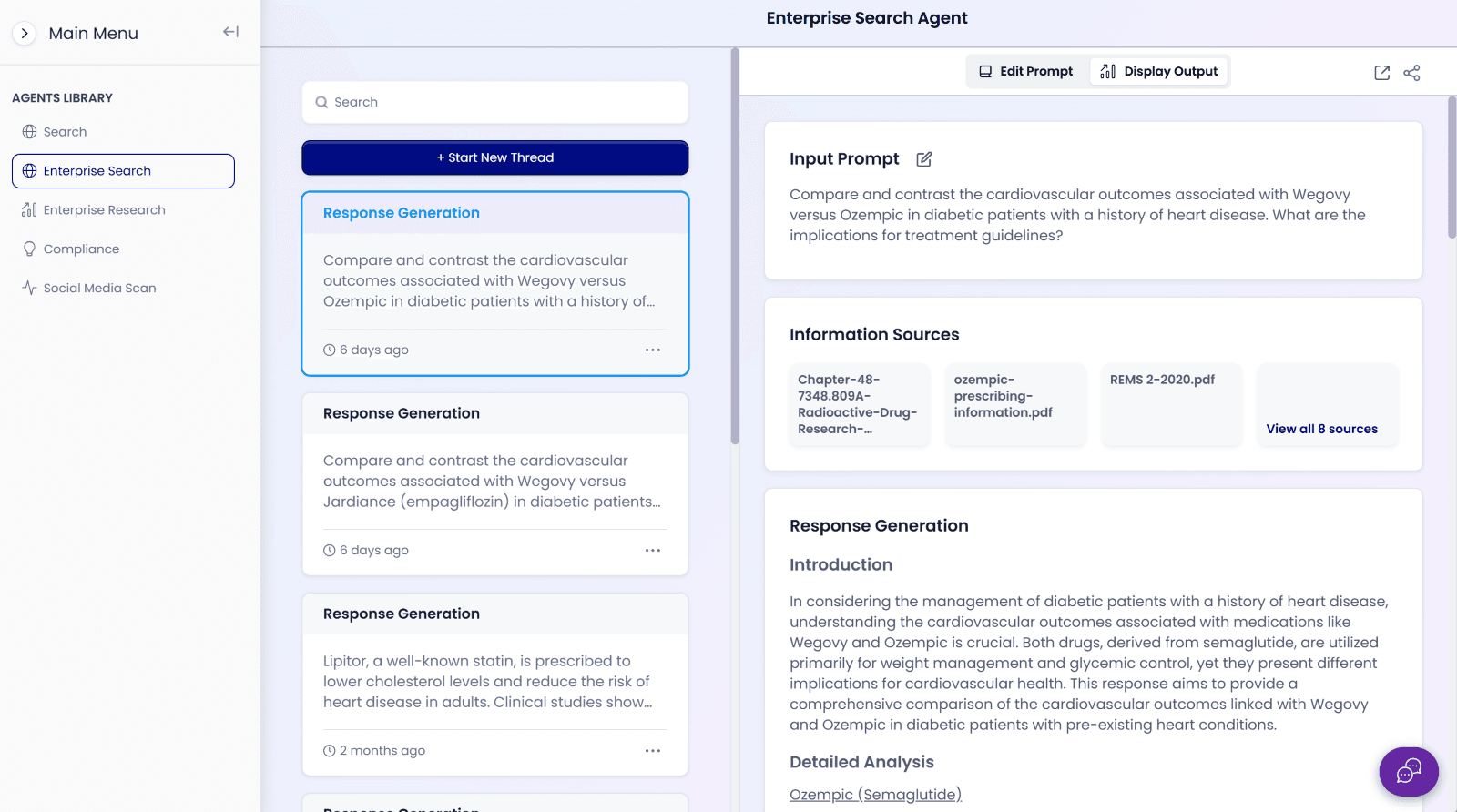
To make Axonal flexible for different marketing needs, multiple starting options were introduced such as continuing a recent workspace, creating a new one, using a previous artifact as a template, or initiating a simple question without generating an artifact. This approach transforms Axonal from a basic chatbot into a complete workflow engine.
Agent Landing Page
Decision View
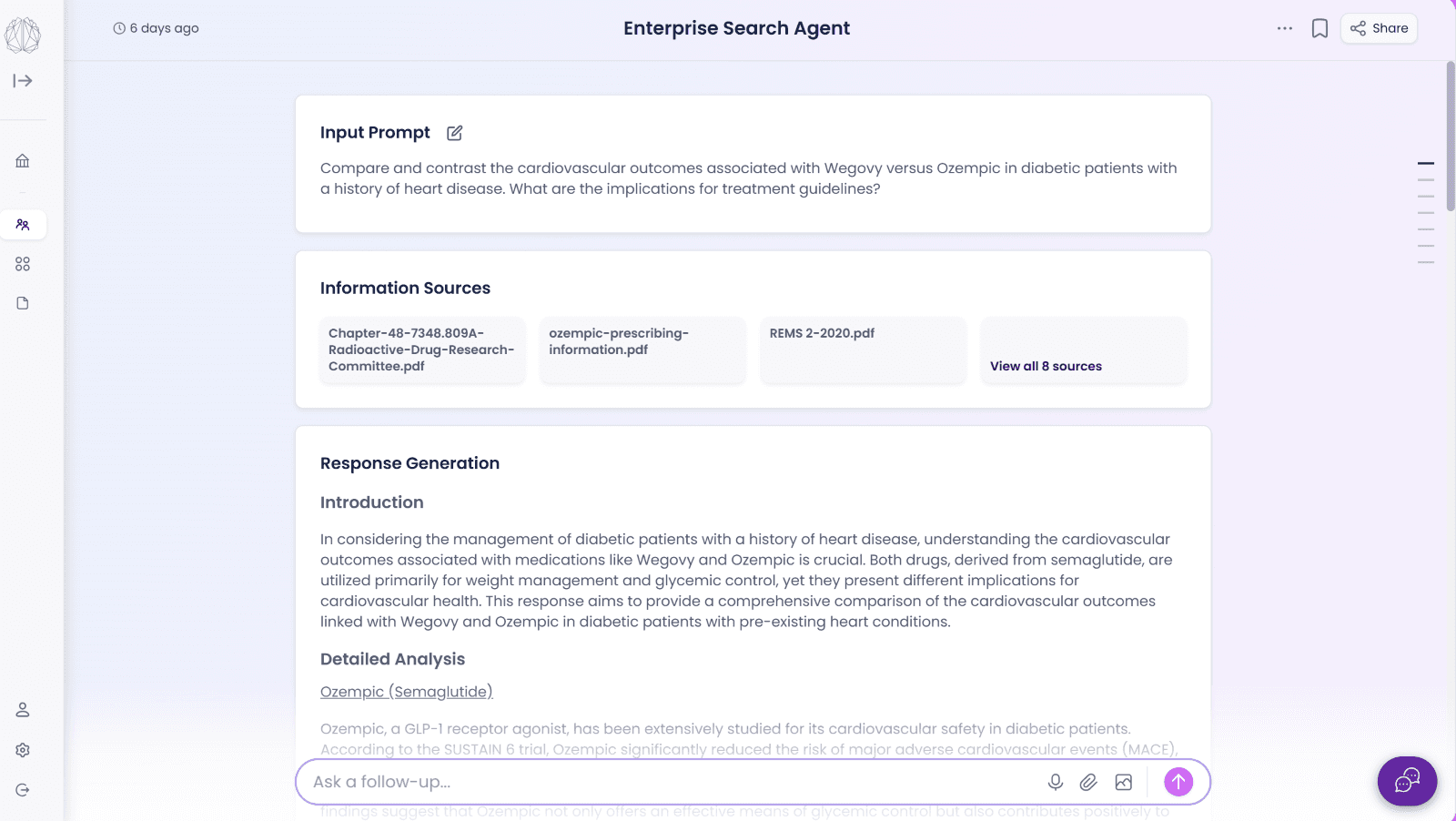
We rebuilt the main conversation page where users guide the system. Our focus was clarity: showing what changed, why it changed, and how the project is evolving. This reduces confusion and helps teams trust the system during long projects.
Output Screen
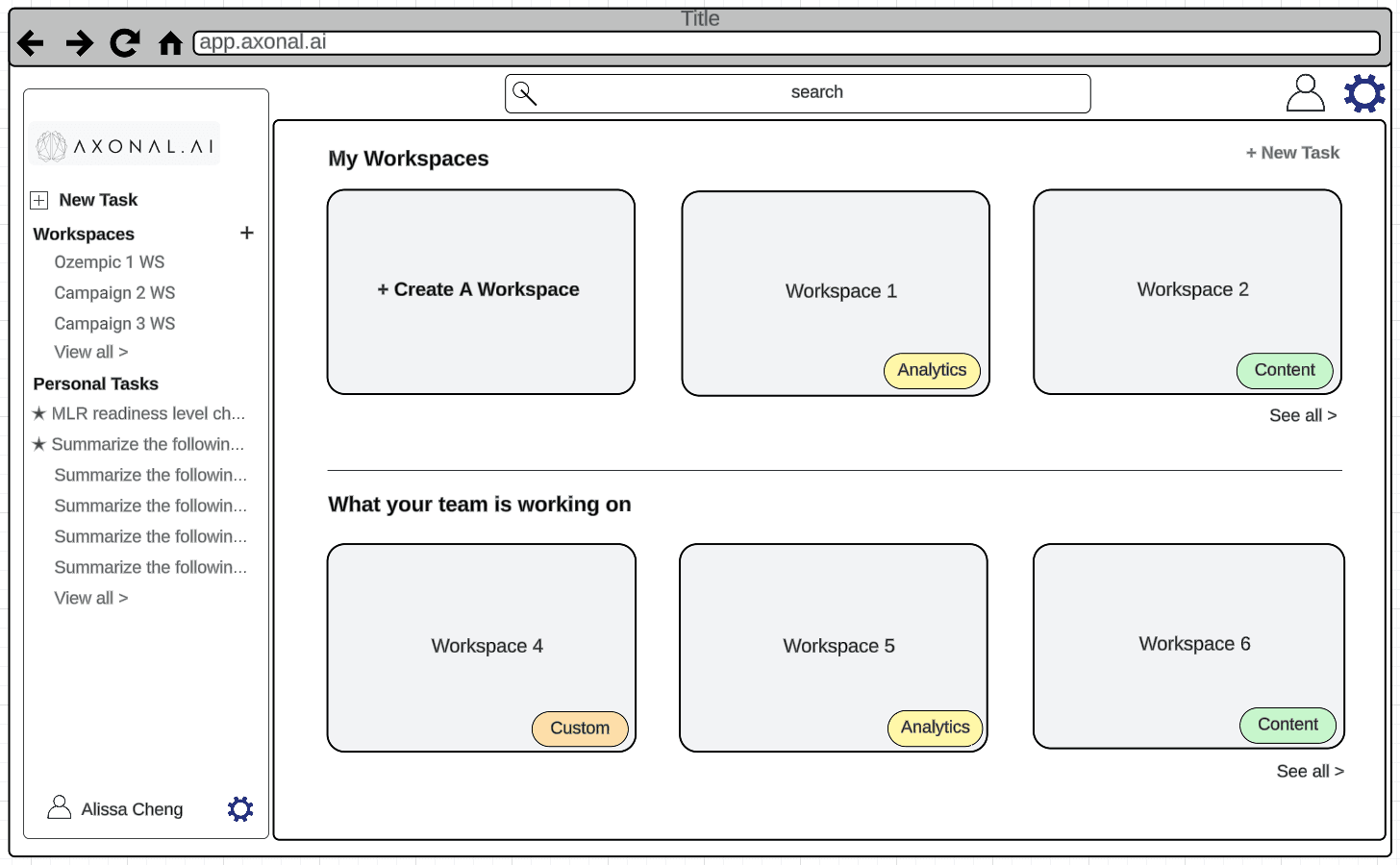
Wireframe Workspace Overview
These early sketches helped us define navigation, shared context, and how long projects stay organized before moving into final UI.
LucidChart Wireframe – Home Screen
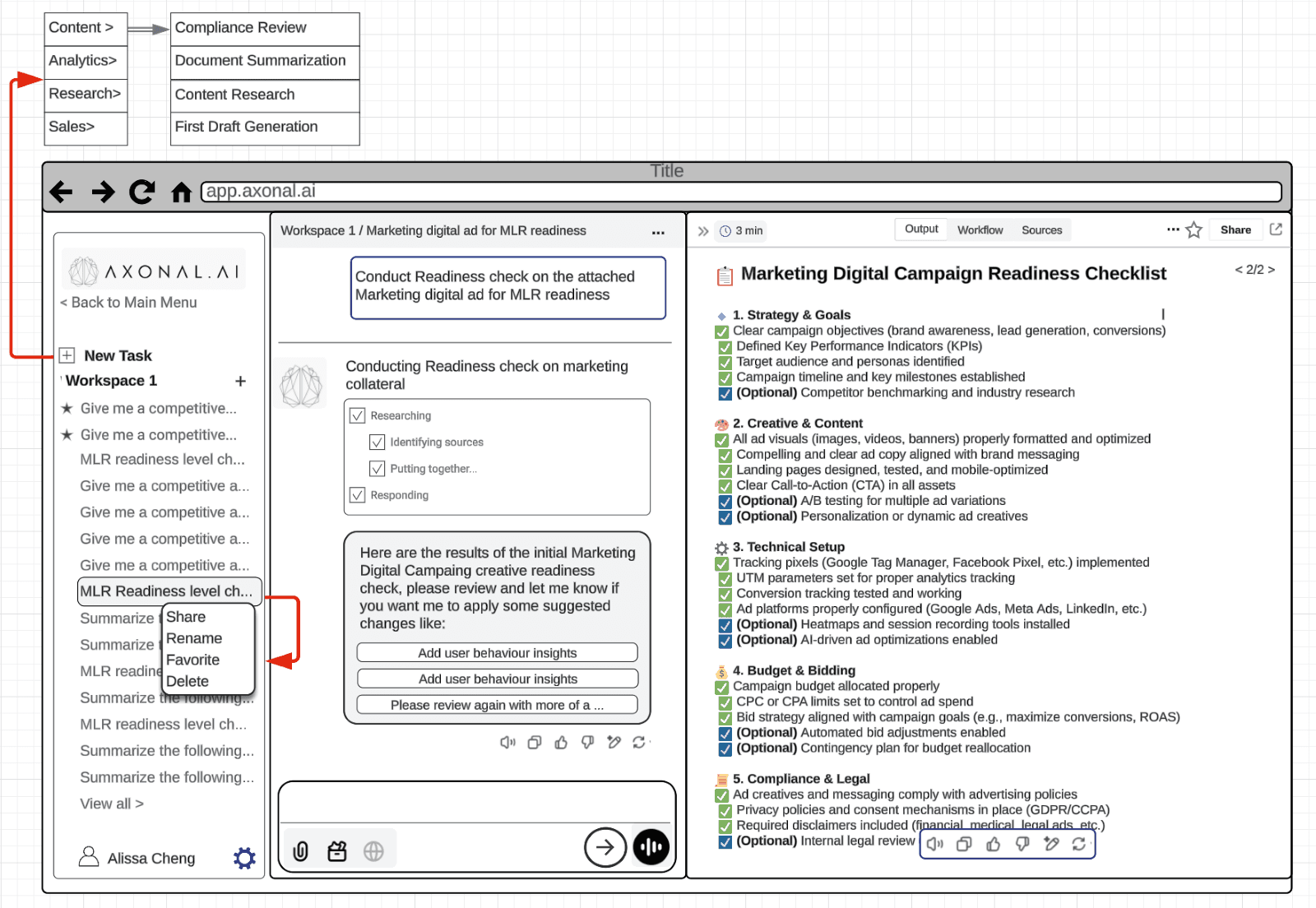
Wireframe Work Update Flow
We explored how users give instructions, how the system updates work, and how multiple contributors stay in sync. These foundations shaped the final interaction model.
LucidChart Wireframe – Workspace Screen
Quick Insights Mode
We noticed teams often mix draft thinking with final work. To fix this, we designed a separate view for quick questions and checks — a safe space to explore ideas without affecting official content. This reduced errors and kept regulated work clean.
Task Output
Previous Work Overview
To make Axonal flexible for different marketing needs, multiple starting options were introduced—such as continuing a recent workspace, creating a new one, using a previous artifact as a template, or initiating a simple question without generating an artifact. This approach transforms Axonal from a basic chatbot into a complete workflow engine.
Agent Landing Page
Output Screen
Decision View
We rebuilt the main conversation page where users guide the system. Our focus was clarity: showing what changed, why it changed, and how the project is evolving. This reduces confusion and helps teams trust the system during long projects.
Wireframe Workspace Overview
We explored how users give instructions, how the system updates work, and how multiple contributors stay in sync. These foundations shaped the final interaction model.
LucidChart Wireframe – Home Screen
Let’s create your next big idea.
© 2025 MUXA Design Studio
Let’s create your next big idea.
© 2025 MUXA Design Studio
Let’s create your next big idea.
© 2025 MUXA Design Studio